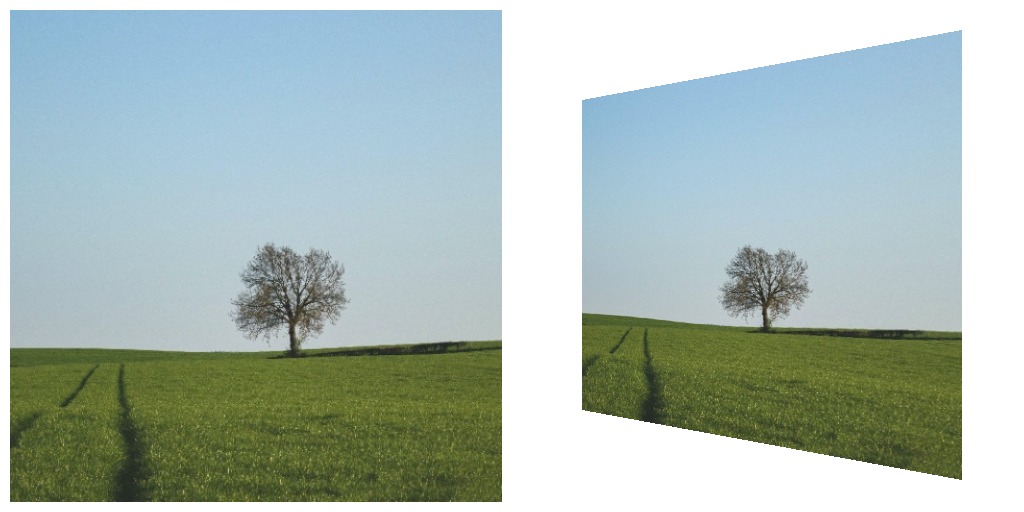
Projection Quad
Map the input image onto a four-cornered shape inside an output frame. This is the node for projection mapping: point a projector at a wall, a box, or a screen at an angle, then drag the four corners until the image lines up with the surface. The pixels outside the quad are transparent.
The mapping is a true perspective warp (a homography), so straight lines in the input stay straight on the surface.
Positioning the corners
Drag the corners in either of two places:
- The parameters panel shows a small editor with the four corners.
- Full screen (View > Enter Full Screen) shows the same handles on top of the output. This is the place to do the fine alignment, because you see the result on the surface while you drag.
Turn off Show UI to hide the handles when you go live. The port is a normal toggle, so you can bind it to an expression or an OSC trigger.
Parameters
- Output Width and Output Height The size of the output frame in pixels. Match this to the resolution of the projector.
- Top Left, Top Right, Bottom Right, Bottom Left The four corners, in pixels of the output frame. The defaults fill the frame.
- Show UI Show the corner handles in full screen.
Outputs
- Out The warped image at the output size, transparent outside the quad.
Example